
IT Modernization: What It Means and How to Do It Right
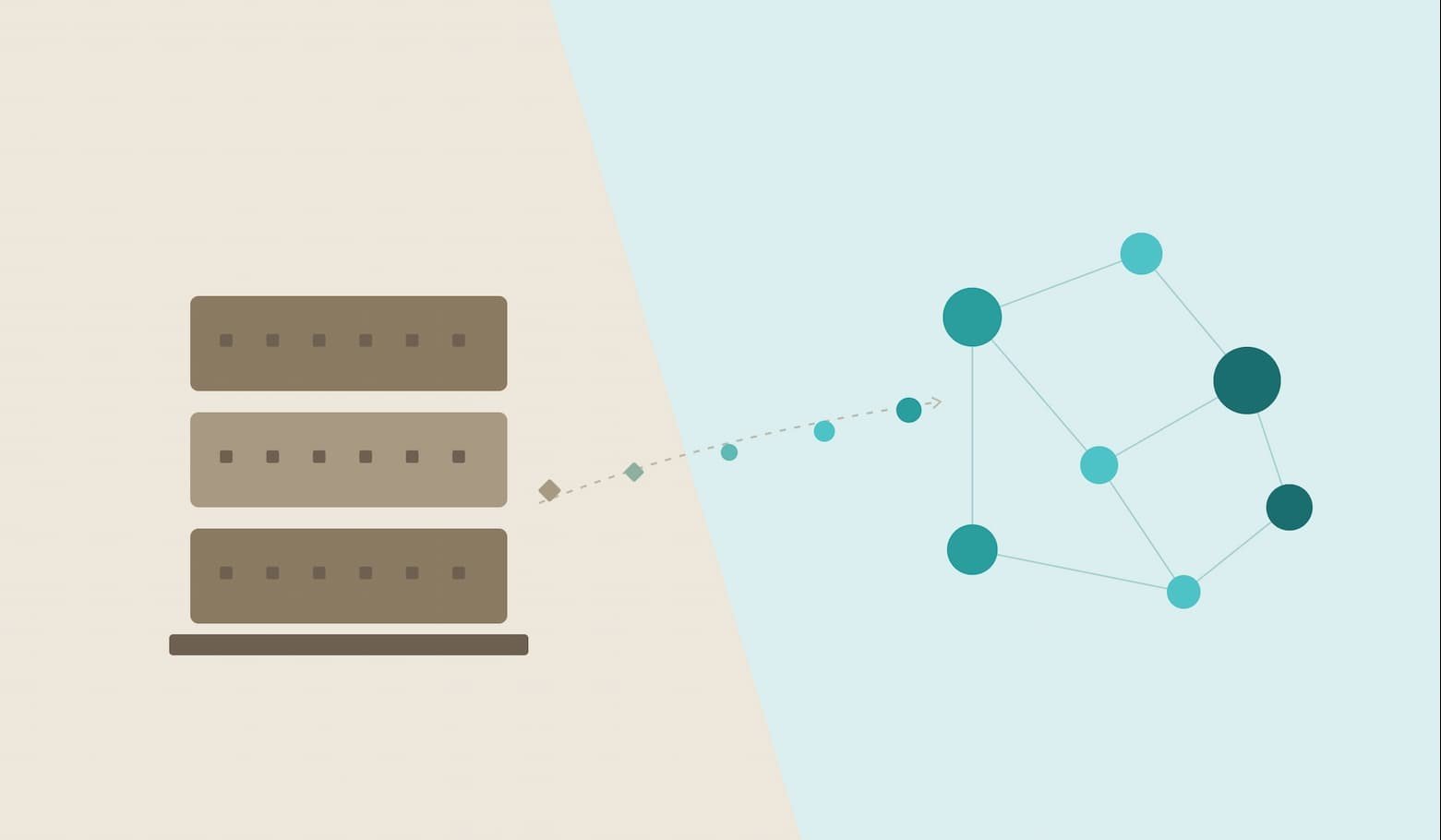
IT modernization is the process of updating an organization’s infrastructure, applications, data, and technology processes so they can support current business requirements. Depending on the situation, that might mean migrating workloads, replacing unsupported software, modernizing a legacy application, consolidating fragmented data, or improving how systems integrate.
The case for modernization is easier to see at the federal level, where spending and legacy-system risks are publicly documented. The U.S. government spends more than $100 billion a year on IT and cyber-related investments, with agencies typically reporting that about 80% goes toward operating and maintaining existing IT. GAO has also documented critical federal systems with outdated languages, unsupported hardware or software, and known cybersecurity vulnerabilities.
The driver isn’t novelty. Aging technology can increase maintenance effort, security risk, integration difficulty, and dependence on scarce technical skills. But modernization is not automatically the right answer for every old system; the decision should depend on business value, risk, cost, and the system’s future role.
What Modernization Actually Covers
“IT modernization” gets used loosely, often as a stand-in for “moving to the cloud.” That’s one piece of it, not the whole thing. In practice, modernization tends to break into four related but distinct efforts
- Infrastructure modernization — replacing physical servers, outdated networking, and rigid data center setups with cloud, hybrid, or more efficient on-premises architecture.
- Application modernization — updating or rebuilding the software itself, often moving from a single large codebase toward smaller services connected by APIs.
- Data modernization — consolidating siloed databases, improving data quality, and building the pipelines that let analytics and AI tools actually use the data.
- Process modernization — automating manual workflows that exist only because the underlying systems couldn’t talk to each other.
Organizations rarely tackle all four at once, and treating modernization as one uniform project is a common reason initiatives stall. A cloud migration and an application rewrite are different projects with different timelines, risks, and often different teams, even when they share an initiative name.
It’s also worth separating IT modernization from “digital transformation.” Digital transformation is usually a business-strategy term, changing how a company operates or delivers value using technology. IT modernization is the technical foundation that makes that possible. You can modernize infrastructure without transforming the business; you generally can’t transform the business on top of infrastructure that can’t support it.
The Real Benefits of IT Modernization
Modernization is easier to justify when the expected benefit is tied to a specific business or technical problem rather then vague promises about “agility” or “innovation.”
- Lower maintenance burden. Technical debt can consume engineering capacity that would otherwise go toward new development. McKinsey has reported that companies may spend an additional 10% to 20% of project costs addressing technical debt, while some CIOs report that more than 20% of technical budgets intended for new products are diverted to debt-related work.
- Reduced exposure to unsupported technology. Legacy environments can contain outdated software, hardware, or programming languages that are difficult to patch or maintain. GAO’s reviews of federal systems have documented examples of unsupported components and known security vulnerabilities.
- Better integration. Modern APIs, integration platforms, and application architectures can make it easier to connect systems and share data without relying on increasingly fragile point-to-point connections.
- More predictable operations. Replacing obsolete components can make infrastructure easier to monitor, maintain, and scale, although the actual benefit depends on the workload and modernization approach.
- Greater engineering capacity. Reducing unnecessary technical complexity can free developers and IT teams to spend more time on new capabilities instead of repeatedly working around old constraints. McKinsey has documented cases where reducing technical debt freed significant engineering capacity for value-generating work.
The financial case should still be calculated for the specific workload. Vendor-sponsored studies can provide useful benchmarks, but their results should not be treated as guaranteed outcomes for every organization.
Why So Many Organizations Fall Behind
Technical debt is one of the biggest reasons modernization backlogs grow. It accumulates when teams defer upgrades, work around limitations, or choose short-term solutions that make future changes harder.
McKinsey has found that technical debt can represent a substantial share of an organization’s technology estate and can divert part of the budget intended for new development. The important point is not that all technical debt must be eliminated. Some older systems are stable and still economically rational to keep, The challenge is identifying which systems are creating enough cost, risk, or constraint to justify change.
Gartner’s current guidance makes a similar distinction: structured approaches to managing infrastructure technical debt can help organizations reduce the number of obsolete systems over time. Gartner estimates that by 2028, organizations using structured methods could report 50% fewer obsolete systems than those that do not.
Federal systems provide a useful example of what happens when modernization is repeatedly delayed. GAO’s 2025 review identified 11 critical legacy systems in need of modernization; eight used outdated programming languages, four had unsupported hardware or software, and seven had known cybersecurity vulnerabilities.
The lesson is not that old technology is automatically bad. It is that organizations need a way to distinguish acceptable technical debt from technology that is actively increasing cost, risk, or operational constraints.
The Core Migration and Modernization Strategies
When it’s time to actually move or rebuild something, most practitioners work from a version of the “Rs” framework that Gartner introduced and AWS later expanded. Different vendor describe five, six, or seven variants, but the underlying logic holds: match the level of change to the value and risk of the workload.
| Strategy | What It Involves | Typical Fit |
|---|---|---|
| Rehost (“lift and shift”) | Move the application without changing its architecture | Fast migrations where immediate relocation is the priority |
| Replatform | Make limited changes to take advantage of the target platform | Workloads that can benefit from managed services or platform improvements |
| Repurchase | Replace the existing system with a commercial or SaaS product | Commodity capabilities such as CRM, HR, or collaboration |
| Refactor / re-architect | Make substantial changes to the application’s architecture | High-value applications where long-term scalability or agility justifies the effort |
| Relocate | Move infrastructure to a comparable cloud environment without redesigning the application | Large virtualized environments where a platform move is the priority |
| Retain | Keep the workload in its current environment for now | Systems where migration has limited near-term business value |
| Retire | Decommission the application or workload | Redundant, unused, or replaced systems |
AWS recommends selecting migration strategies according to the characteristics and business requirements of each workload rather than applying one approach across an entire portfolio. For large migrations, AWS commonly recommends rehost, replatform, relocate, and retire, while refactoring is generally more complex and should be reserved for workloads where the additional effort has a clear business case.
How Much Does IT Modernization Cost?
There is no standard price for IT modernization because the cost depends heavily on what is being changed. Moving a relatively simple workload may require limited engineering effort, while rebuilding a tightly coupled legacy application can involve years of development, testing, integration, and operational change.
The biggest cost drivers usually include:
- Application complexity: tightly coupled or poorly documented applications require more discovery and testing.
- Data migration: large or inconsistent datasets can add significant preparation, validation, and reconciliation work.
- Integration dependencies: systems connected to many other applications can require extensive interface changes.
- Modernization strategy: rehosting generally requires less application change than refactoring or re-architecting.
- Downtime and continuity requirements: systems that cannot tolerate disruption need more planning, testing, and fallback capability.
- People and skills: organizations may need specialists in legacy platforms, cloud infrastructure, security, data migration, or application architecture.
A useful modernization business case should therefore estimate the cost of both options: continuing to operate the existing system and changing it. That comparison makes it easier to decide whether modernization is financially justified rather than assuming that newer technology is automatically cheaper.
Cloud Isn’t Always the Endpoint
A common misconception is that modernization means moving everything to the public cloud. Cloud migration can be an important part of modernization, particularly when an organization needs greater scalability or wants to replace aging infrastructure. For a broader explanation of cloud infrastructure and its business benefits, see our guide to Cloud Computing Essentials.
Flexera’s 2025 State of the Cloud Report found that managing cloud spend was the top cloud challenge for 84% of surveyed organizations. That is a useful reminder that moving a workload to the cloud does not automatically make it cheaper or easier to operate.
Some workloads may benefit from public cloud elasticity, while others may make more sense in private infrastructure, on-premises environments, or a hybrid architecture. The modernization decision should therefore start with the workload’s requirements rather than the assumption that every system needs the same destination.
| Factor | Public Cloud | Hybrid | On-Premises / Private |
|---|---|---|---|
| Scalability | High, elastic | Flexible by design | Limited without new hardware |
| Predictable-workload cost | Can rise with scale | Balanced | Often lower at steady volume |
| Compliance / data residency | Depends on provider region | Easier to control sensitive data | Full control |
| Setup speed | Fastest | Moderate | Slowest |
| Best suited for | Variable, growing workloads | Mixed sensitivity workloads | Steady, latency-sensitive, or regulated workloads |
A Practical Modernization Roadmap
Modernization projects tend to succeed or fail based on sequencing, not ambition. A working roadmap generally follows this shape:
- Assess before deciding anything. Inventory the applications, infrastructure, and data flows in scope, and identify which systems carry real business risk versus which are simply old.
- Prioritize by value and risk together, not by age alone. A 15-year-old reporting tool with no security exposure can wait; a payment system on unsupported hardware usually can’t.
- Match each workload to a strategy using something like the Rs framework above, instead of defaulting every application to the same approach.
- Pilot before scaling. Migrating one representative application first surfaces integration problems and cost surprises before they multiply across dozens of systems.
- Plan for adoption and operational change. Modernization can change workflows, interfaces, responsibilities, and support processes. Give affected teams time to test the new environment, update documentation, and learn the changes before the old system is retired.
- Govern and measure after go-live. Track cost, performance, and incident metrics against a baseline, and treat modernization as ongoing maintenance rather than a project with a hard end date.
One thing most published roadmaps leave out: what happens to the old system after cutover. Without an explicit decommission date, legacy systems tend to keep running in parallel “just in case,” which quietly recreates the maintenance burden the project was supposed to eliminate. Set the retirement date for the old system before the new one goes live, not after.
Where Modernization Isn’t the Right Call
Not every legacy system needs to change. A stable system with low security exposure, no compliance risk, and no real business constraint being caused by its age is often a case for the “retain” strategy: leave it alone and revisit later. Modernizing for its own sake consumes budget and engineering time that could go toward systems actually holding the business back. The harder judgment is distinguishing genuine stability from deferred risk. A system that has worked reliably for years may still become a problem if its vendor support, security controls, integration options, or specialist skills are disappearing.
Common Mistakes That Derail Modernization Projects
A few patterns show up repeatedly in modernization efforts that stall or run over budget:
- Big-bang migrations. Refactoring and cutting over a large, interconnected system all at once multiplies risk instead of reducing it. Incremental, workload-by-workload migration tends to hold up better under real-world pressure.
- No clear business case per system. Modernizing because “it’s old” rather than because of a measurable cost, risk, or performance problem makes the spend hard to justify or prioritize correctly.
- Underestimating integration work. Legacy systems rarely exist in isolation. The custom APIs and data pipelines connecting them to everything else are often the real bottleneck, not the core system being replaced.
- Treating modernization as a one-time project. Technology stacks age continuously. Organizations that revisit their roadmap annually generally avoid rebuilding another backlog five years later.
- Fixing the visible layer, not the bottleneck. Front-end redesigns get approved faster because leadership can see them. The actual constraint is often a data layer or integration point nobody outside IT ever looks at, and it stays broken because it’s harder to justify budget for something invisible.
Why Modernization Projects Fail Even When the Technology Works
This is the question most articles skip: the migration can go perfectly and the initiative can still be judged a failure. That happens when no one defines what success looks like before the project starts. A team completes a migration on time and under budget, and six months later leadership asks whether it actually helped, with no metric to answer the question.
Modernization efforts with a baseline set in advance, such as cost per transaction, deployment frequency, incident volume, or system response time, are easier to evaluate than projects measured only by whether the migration finished. Technology can fail, but an unclear definition of success makes it much harder to determine whether the investment actually delivered value.
What’s Changing Modernization Right Now
AI-assisted code analysis and migration tools are beginning to change how organizations approach large legacy application portfolios. IBM describes one retail example involving roughly 600 .NET Framework applications, where an initial wave of 180 applications was completed in under six months using portfolio analysis and automated migration tooling; IBM says the traditional process would have taken about two years. This is a vendor-documented case rather than a benchmark for every modernization program, but it illustrates where AI-assisted code analysis, dependency mapping, and automated migration can reduce manual effort.
The technology is still developing, so organizations should validate generated code, dependencies, security controls, and application behavior rather than treating automated migration as a replacement for engineering review.
Final Thoughts
IT modernization is not a single migration or a single technology decision. It’s a continuous practice of matching infrastructure, applications, and data to what the business actually needs, revisited on a schedule rather than treated as a project with an end date. Most failures trace back to skipping the assessment step, trying to fix everything at once, or assuming a cloud migration alone would solve a problem that was actually about application design or data quality.
FAQs
What is IT modernization in simple terms?
Updating an organization’s infrastructure, applications, and data systems so they support current business needs instead of holding operations back.
What’s the difference between IT modernization and digital transformation?
Modernization is technical — updating systems. Transformation is business strategy, changing how a company operates. Modernization is usually the foundation transformation is built on.
Is moving to the cloud the same thing as IT modernization?
No. Cloud migration is one part of it. Modernization also covers application redesign, data cleanup, and process automation, and not every workload belongs in the public cloud.
How long does an IT modernization project typically take?
It can take months for a single workload and several years for a large enterprise portfolio. Timeline depends on application complexity, dependencies, data migration, testing, regulatory requirements, and the modernization strategy selected.
What are the biggest risks of not modernizing legacy IT systems?
Rising maintenance costs, unpatched security vulnerabilities, and a shrinking pool of people who know how to safely run the old systems.
How do you know if a system actually needs to be modernized?
Look for a real cost, security, or performance problem tied to its age, not the age itself. No problem, no urgency.
What is technical debt and how does it relate to modernization?
The accumulated cost of shortcuts and deferred upgrades. It can make systems harder and more expensive to change, which is one reason modernization backlogs keep growing.
Do small businesses need IT modernization, or is it only for large enterprises?
Small businesses can benefit from modernization too, although the approach is usually smaller in scale. Replacing unsupported software, moving from spreadsheets to SaaS, improving integrations, or retiring redundant applications can all be forms of IT modernization.
What are the main types of IT modernization?
The main areas are infrastructure modernization, application modernization, data modernization, and process modernization. An organization may use one or several of these approaches depending on the systems involved and the business problem it needs to solve.
References
- U.S. Government Accountability Office. Information Technology: Agencies Need to Plan for Modernizing Critical Decades-Old Legacy Systems (GAO-25-107795), July 17, 2025.
- McKinsey & Company. Breaking technical debt’s vicious cycle to modernize your business.
- AWS Prescriptive Guidance. About the migration strategies.
- Flexera. 2025 State of the Cloud Report.
- Gartner. Reduce and Manage Technical Debt, March 19, 2026.
- IBM. Building an enterprise-scale modernization roadmap for .NET in the cloud era.
- IDC. The Business Value of Amazon Relational Database Service, sponsored by Amazon Web Services, May 2024.