
Best L1 IT Support Tools With AI in 2026
The best L1 IT support tools with AI in 2026 include ServiceNow, Freshservice, Jira Service Management with Rovo, ManageEngine ServiceDesk Plus, and Zendesk. The right choice depends less on the size of an AI feature list and more on your existing ITSM platform, knowledge base, integrations, security controls, and automation requirements. ServiceNow is a strong fit for large enterprises, Freshservice suits mid-market teams, Jira Service Management with Rovo fits organizations already invested in Jira and Confluence, ManageEngine offers a cost-conscious option, and Zendesk is worth considering when IT and customer support share the same platform.
Gartner’s 2026 Magic Quadrant for AI Applications in IT Service Management, published in August 2026, evaluates nine vendors offering AI-focused ITSM products. The current evaluation reflects the market’s shift toward AI agents, autonomous ITSM, AI-powered employee self-service, and AI assistance for IT teams. Use the Magic Quadrant as one comparison point rather than a standalone ranking, because the best tool still depends on your existing ITSM environment, integrations, governance requirements, and budget.
AI L1 support tools now go beyond FAQ chatbots. Depending on the platform, they can interpret employee requests, search knowledge bases, classify tickets, draft responses, and take controlled actions inside connected systems. The important distinction for buyers is whether a tool merely deflects tickets or can actually resolve routine requests with appropriate controls.
What L1 Support Actually Means Now
L1 is the first layer that triages, resolves routine requests (password resets, access, VPN, basic app errors), and escalates everything else. Classic automation was a portal or a scripted bot that pointed to a knowledge article. Current AI tools hold a conversation, interpret messy requests, and take the action themselves when governance allows.
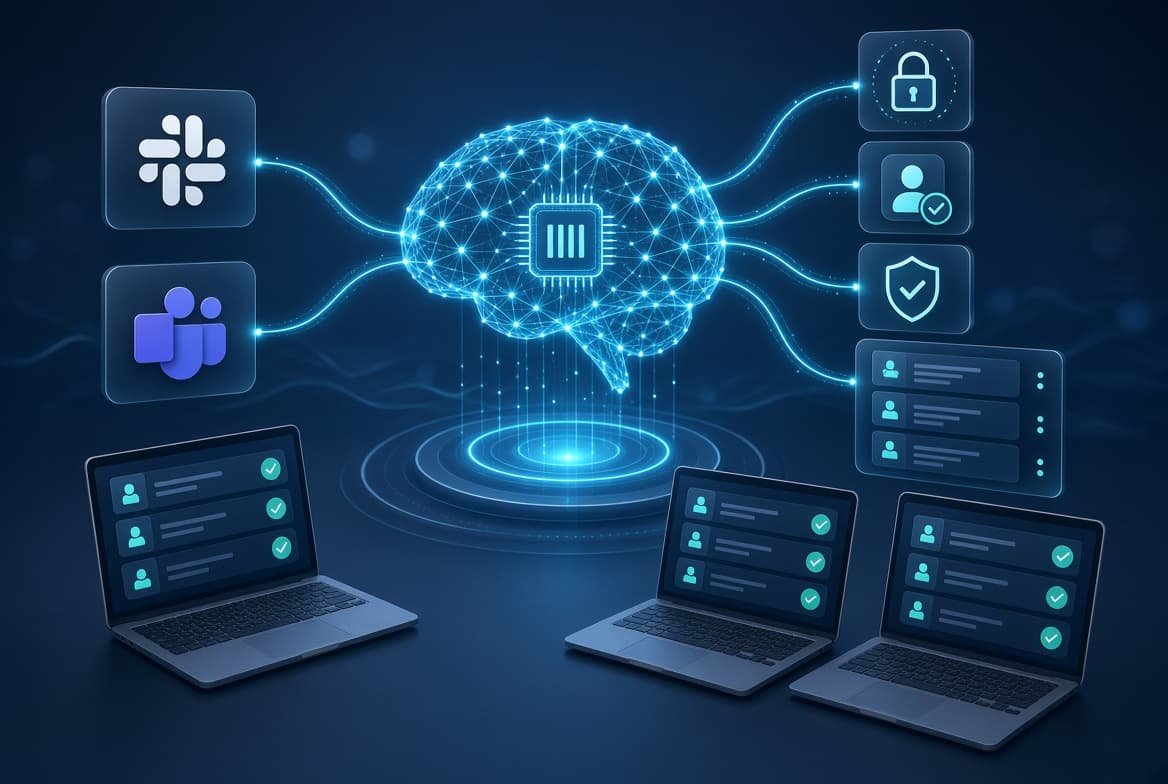
Many AI L1 support platforms combine knowledge bases, ticket history, and integrations with live business systems. Some are also ading standards such as Model Context Protocol (MCP) to connect AI agents with external tools. A governance layer decides which actions run unattended. Thin governance is the most common reason pilots stall.
What to Check Before Choosing an AI L1 Support Tool
Before comparing AI features, evaluate the operational foundation behind them.
Knowledge integration: Can the tool use your existing knowledge base, ticket history, and internal documentation?
Action capability: Can it only answer questions, or can it safely perform actions such as password resets and ticket updates?
Approval controls: Can administrators require human approval for sensitive operations?
ITSM integration: Does it work with your existing service desk, identity provider, endpoint tools, and collaboration platforms?
Auditability: Are AI responses and actions logged so administrators can investigate incidents?
Pricing model: Is AI priced per agent, session, interaction, resolution, or consumption?
Pilot support: Can you test the system against your own historical tickets before committing to a large deployment?
The strongest AI L1 support platform is usually the one that fits the organization’s existing ITSM and operational environment, not simply the one with the longest AI feature list.
Best L1 IT Support Tools With AI Compared
Gartner’s 2025 Magic Quadrant for AI Applications in IT Service Management evaluated 10 vendors, with ServiceNow placed in the Leader category. the rest fall across Challenger, Visionary, and Niche Player categories. It’s a reasonable starting shortlist, though it scores AI capability specifically, not the ITSM platform as a whole.
| Tool | AI layer | Best fit |
|---|---|---|
| ServiceNow | Now Assist / AI Agents | Large enterprises already using ServiceNow |
| Freshservice | Freddy AI | Mid-market teams wanting AI-enabled ITSM |
| Jira Service Management | Rovo / Atlassian AI | Engineering organizations using Jira and Confluence |
| ManageEngine ServiceDesk Plus | Zia | Teams looking for built-in AI capabilities |
| Zendesk | Resolution Platform / AI agents | Organizations combining IT and customer support |
Note: Gartner’s 2026 Magic Quadrant evaluates a different vendor set from the 2025 edition, so Gartner positioning should not be treated as a permanent label for each product. Vendor capabilities and market evaluations change quickly.
What Has Changed in AI L1 IT Support in 2026?
AI-powered L1 support has moved beyond the traditional chatbot model. The important shift is from answering questions to taking controlled actions.
Modern ITSM platforms increasingly combine AI search, knowledge retrieval, ticket classification, workflow automation, and agentic capabilities. That means an AI system may not only explain how to reset a password but, when properly authorized, initiate the workflow that performs the reset.
This changes what buyers should evaluate. A useful AI L1 platform now needs more than good conversational answers. It should provide:
- Knowledge grounding: Answers should be based on current organizational documentation and approved sources.
- Action controls: Administrators should be able to define what the AI can and cannot do.
- Permission boundaries: AI actions should respect the same access controls as human users.
- Human approval: Sensitive operations should support approval before execution.
- Auditability: Administrators should be able to review AI decisions, actions, and outcomes.
- Evaluation tools: Organizations should be able to test AI performance against realistic support scenarios.
Gartner’s 2026 research explicitly includes capabilities such as AI for end-user self-service, AI for IT agents, agentic ITSM, and AI for autonomous ITSM, reflecting this broader shift in the market.
ServiceNow (Now Assist / AI Agents)
ServiceNow remains one of the strongest choices for large organizations already standardized on its ITSM platform. Its Now Assist portfolio has expanded beyond generative answers and summaries into agentic workflows and AI agents that can perform defined tasks within ServiceNow environments.
ServiceNow has also continued expanding Now Assist during 2026. Recent releases include improvements to AI agents, agent evaluation, model management, and agent extensibility, showing how the platform is moving from AI-assisted support toward more controlled autonomous ITSM workflows.
Best for: Large enterprises already using ServiceNow ITSM
Main drawback: Higher implementation complexity and sales-led pricing can make it less attractive for smaller IT teams.
Freshservice (Freddy AI)
Freshservice uses Freddy AI across employee self-service, technician assistance, and IT service management workflows. Its AI capabilities can help answer employee questions, work with knowledge bases, assist technicians, and automate selected service workflows.
Freshworks has also expanded Freddy’s agent-building and integration capabilities, including AI Agent Studio and MCP-related tooling. For buyers, the important question is not simply how many AI features are available, but whether Freddy can safely work with the organization’s existing knowledge, service workflows, and connected systems.
Best for: Mid-market teams that want AI integrated into an established ITSM platform.
Main drawback: Teams should evaluate AI usage limits, integrations, and workflow depth against their expected ticket volume before committing.
Zendesk (Resolution Platform)
Zendesk built its AI stack around what it calls the Resolution Platform, handling both customer-facing and internal employee requests. Zendesk advertises automation of 80%+ of interactions through its Resolution Platform, although this is a vendor-reported figure rather than an independent benchmark. The appeal for IT teams is running employee support and customer support in one system, which matters most for companies already on Zendesk for CX.
Atlassian Jira Service Management (Rovo)
Rovo is Atlassian’s AI layer across Jira, Confluence, and Jira Service Management. In Jira Service Management, AI features can search connected knowledge bases, answer support questions, summarize work items, help create requests, and support controlled actions through Rovo agents.
Atlassian has also continued expanding Rovo’s role in service operations. Recent updates include Rovo-powered knowledge-base creation and RovoOps capabilities for incident and alert channels, showing a broader move toward AI-assisted service operations rather than simple chatbot support.
Best for: Engineering-heavy organizations already invested in Jira and Confluence.
Main drawback: AI performance depends heavily on the quality and structure of the organization’s existing knowledge and service data.
ManageEngine ServiceDesk Plus (Zia)
ManageEngine’s Zia virtual agent stands out for pricing flexibility: run it on ManageEngine’s own model at no extra usage cost, or connect ChatGPT, Azure OpenAI, or Google AI Studio instead. A September 2025 update added Ask Zia Workflow Assist, turning plain-language descriptions into working automation, plus AI-generated ticket resolutions and knowledge base drafts. For teams that want built-in AI capabilities without adding a separate AI platform, ManageEngine remains an option worth evaluating. Buyers should compare the included capabilities, supported models, automation features, and usage limits against their specific service-desk requirements.
Which Tool Fits an AI Bot Implementation at L1?
The best choice depends heavily on the ITSM platform your organization already uses. Replacing an established ticketing system just to add AI can create more implementation work than the AI itself.
For most organizations, the practical approach is to evaluate how well each tool can:
- connect to the existing knowledge base;
- classify and route incoming requests;
- answer common employee questions;
- perform approved actions;
- escalate requests to human technicians;
- log AI decisions and actions; and
- enforce permissions for sensitive operations.
The goal should be a controlled pilot using real support tickets rather than a decision based solely on vendor demonstrations.
| Your Situation | Reasonable Starting Point |
|---|---|
| Already on ServiceNow, want deeper autonomy | Now Assist / AI Agents |
| Mid-market, want AI bundled into a full ITSM suite | Freshservice Freddy AI |
| Support IT and customers from one system | Zendesk Resolution Platform |
| Engineering org already living in Jira/Confluence | Atlassian Rovo |
| Tight budget, want AI without new licensing tiers | ManageEngine ServiceDesk Plus |
| Want a governed AI layer without replacing your ITSM tool | An orchestration-layer AI agent (Aisera, SymphonyAI, or a similar add-on) |
What AI Can Automate at L1
- Password-reset and account-access requests
- Common VPN and connectivity questions
- Software and application troubleshooting
- Ticket classification and routing
- Knowledge-base searches
- Status and policy questions
- Ticket summaries and technician handoffs
- Approved workflow actions
Where AI L1 Support Still Falls Short
AI L1 support still has practical limits. The biggest problems are usually poor knowledge quality, unclear permissions, unreliable integrations, and unrealistic expectations about autonomous resolution.
An AI system can reproduce outdated or contradictory documentation at scale. It can also produce an apparently reasonable answer that is wrong for a particular employee, device, application, or policy. For higher-risk actions, organizations therefore need appropriate permissions, approval workflows, monitoring, and escalation paths.
The result is that AI should be measured by the quality of controlled outcomes, not simply by how many conversations it can handle.
AI L1 Support Buying Checklist for 2026
Before selecting an AI-powered L1 support platform, check whether it can:
- Connect to your existing knowledge base and ITSM data
- Retrieve information from approved sources
- Classify and route tickets automatically
- Perform low-risk actions through controlled workflows
- Enforce role-based permissions
- Require approval for sensitive actions
- Record AI decisions and actions in audit logs
- Test AI performance against historical support tickets
- Measure autonomous resolution separately from AI-assisted resolution
- Escalate uncertain or high-risk requests to human technicians
The goal is not maximum automation. It is reliable automation within clearly defined operational boundaries.
The question most buyers should ask
“What autonomous resolution rate can we realistically expect from our own tickets?”
There is no universal benchmark for AI-powered L1 support, and vendors use different definitions of “resolution.” The most reliable way to estimate performance is to run a pilot against your own historical tickets and measure autonomous resolution, accuracy, escalation rate, handling time, and human approval requirements.
How Many L1 Tickets Can AI Actually Resolve?
There is no single industry-wide resolution rate that buyers can use to predict performance.
Vendor automation figures are difficult to compare because companies define “resolution” differently. One platform may count a successful AI interaction, while another counts only issues resolved without human intervention.
The better approach is to establish a baseline from your own ticket history.
For 2026 deployments, also separate AI-assisted resolution from autonomous resolution. An AI system that drafts an answer for a technician is not equivalent to an agent that completes the request without human intervention. Tracking the two separately gives buyers a more realistic view of automation.
During a pilot, track:
| Metric | What to measure |
|---|---|
| Autonomous resolution | Tickets closed without human intervention |
| Escalation rate | Tickets transferred to a technician |
| Accuracy | Whether the AI provided the correct answer or action |
| First-contact resolution | Requests solved during the initial interaction |
| Average handling time | Time saved compared with traditional L1 support |
| Human approval rate | How often sensitive actions require technician approval |
This makes vendor comparisons much more meaningful than comparing headline automation percentages.
Data Privacy and Governance Considerations
AI L1 tools can require access to employee identity data, device information, knowledge bases, ticket histories, and connected IT systems. That makes governance a core deployment requirement rather than an optional security layer.
Before giving an AI agent access to production systems, verify:
- What information the agent can retrieve
- Which systems and tools it can access
- Which actions it can execute without approval
- Which actions require human authorization
- How permissions are inherited and revoked
- Whether AI actions are logged for audit and investigation
- How administrators can disable or restrict an agent when necessary
For example, an AI agent may be allowed to retrieve a device’s status or update a ticket automatically while requiring technician approval before changing privileged access. This type of permission boundary is more useful than treating all AI automation as either fully autonomous or fully manual.
For a deeper look at enterprise AI governance, see our guide to AI Enterprise Governance.
Common Misconceptions
The vendor demo isn’t what you’ll get in production. Demos run on curated, clean sample data. Your knowledge base is messier, so expect lower accuracy on day one than whatever you saw in the sales pitch.
A higher price doesn’t mean smarter AI. Pricing tiers mostly gate features, not model quality — a well-configured mid-tier rollout can outperform a poorly maintained enterprise one if the underlying knowledge base is better kept up.
A Gartner “Leader” isn’t automatically the right fit. The Magic Quadrant weighs enterprise-scale execution and vision — useful signal, but it doesn’t account for your budget, team size, or how messy your current knowledge base is.
AI automation means the IT team can remove human review. Not necessarily. AI can automate repetitive L1 tasks, but sensitive actions such as privilege changes, account modifications, or access approvals may still require human authorization and audit controls.
Final Thoughts
The best AI L1 IT support tool depends less on which vendor has the most impressive AI features and more on how well the platform fits your existing ITSM environment.
ServiceNow is the strongest choice for large organizations already invested in its ecosystem. Freshservice is a practical option for mid-market teams, Rovo fits Jira and Confluence environments, ManageEngine offers a cost-conscious alternative, and Zendesk makes more sense when IT and customer support share the same platform.
Before choosing any of them, run a pilot against real tickets and measure autonomous resolution, accuracy, escalation, handling time, and human approval requirements. That will tell you far more than a vendor’s headline automation percentage.
FAQs
What is L1 IT support automation?
AI that handles first-line requests (password resets, access, basic troubleshooting) and closes the ticket without a technician.
Can AI fully replace L1 technicians?
No. Routine, well-documented requests yes; ambiguous or sensitive issues still need a person.
Which tool is best for a small business?
ManageEngine ServiceDesk Plus can be worth considering for smaller teams that want an integrated ITSM platform with AI capabilities, but pricing and included AI features vary by plan. Compare the current plan limits before choosing.
How much do these tools cost?
Pricing varies by platform, plan, AI capabilities, usage, and deployment requirements. ServiceNow typically requires a sales quote, while other vendors offer different subscription and AI usage models. Check current vendor pricing and calculate expected AI usage before comparing total cost.
What’s the difference between Freddy AI and Now Assist?
Freddy is Freshservice’s suite; Now Assist is ServiceNow’s. Same core functions, different platforms and pricing models.
Can AI L1 support tools perform actions?
Yes. Depending on the platform and integration, AI agents can perform controlled actions such as updating tickets, retrieving information, or triggering approved workflows. Sensitive actions should use appropriate permissions and human approval.
Is Moveworks still standalone after the ServiceNow acquisition?
ServiceNow completed its acquisition of Moveworks in December 2025. By 2026, the more relevant question for buyers is how Moveworks capabilities are being integrated into ServiceNow’s broader AI and employee-service portfolio.
How accurate are AI-generated resolutions?
Only as accurate as your knowledge base. Outdated docs produce outdated answers at scale.
References
- Gartner, Inc. — Magic Quadrant for AI Applications in IT Service Management, published August 17, 2026.
- Gartner, Inc. — Critical Capabilities for AI Applications in IT Service Management, published August 17, 2026.
- ServiceNow — Now Assist Suite release notes, 2026.
- Atlassian — AI features in Jira Service Management, 2026.
- Freshworks — “Freshworks Unveils AI Agent Studio in Freshservice,” May 14, 2026 (official press release).
- Freshworks — “Build the Future of AI-First Service,” The Works, May 2026 (MCP Gateway announcement).
- Zendesk — “Zendesk Unveils Powerful New AI Capabilities within the Resolution Platform,” October 8, 2025 (official press release).
- ManageEngine — “ManageEngine Unveils its Biggest Generative AI Release Yet for ServiceDesk Plus,” September 23, 2025 (Business Wire press release).
- Moveworks — “2025 Gartner Magic Quadrant: AI Apps in IT Service Management” (secondary summary citing the Gartner ROI abandonment estimate).
- Twig — “Best AI Support Tools 2026: 3 Worth It, 17 to Skip” (independent multi-vendor test; note Twig is itself a competing vendor).