

Java Cloud Service Options in 2026: What Actually Fits
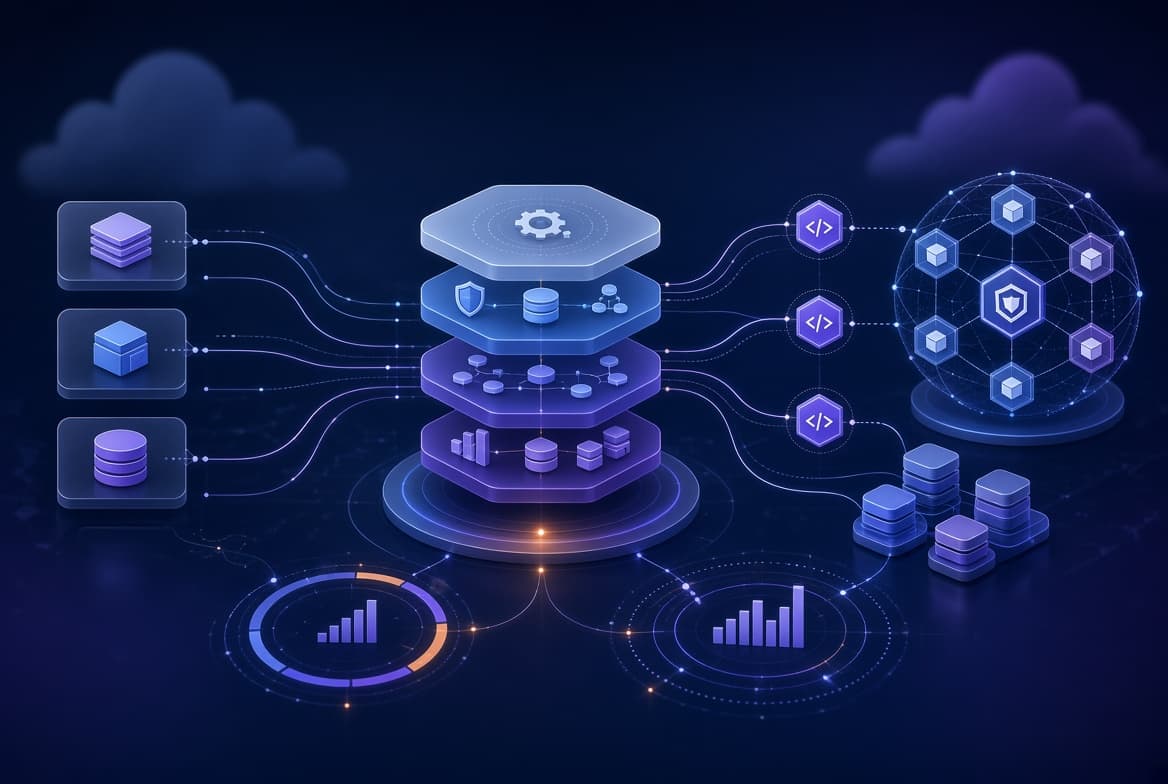
A Java cloud service allows businesses to deploy and run Java applications using managed cloud infrastructure instead of handling every server, networking, scaling, and maintenance task themselves. Depending on the platform, developers can deploy a JAR or WAR file, run a container, use serverless functions, or manage Java applications through Kubernetes.
The Java cloud-service landscape is changing in 2026. Some specialized platforms have stopped accepting new customers or are moving toward retirement, while cloud providers increasingly recommend container-based services and managed Kubernetes. These changes make platform lifecycle, deployment flexibility, Java runtime support, and long-term migration options important factors when choosing a service
This guide compares the main Java cloud service options from AWS, Microsoft Azure, Google Cloud, and Oracle Cloud. It explains deployment models, serverless and native-compilation options, Oracle Java licensing considerations, platform limitations, and the factors teams should evaluate before selecting a cloud environment for new or existing Java applications.
What Counts as a Java Cloud Service Today
A Java cloud service is not limited to one product or deployment model. It generally refers to a cloud environment that allows teams to deploy, run, scale, and maintain Java applications without managing every part of the underlying infrastructure themselves.
The main deployment models include:
- Managed PaaS: You deploy application code, such as a JAR or WAR file, while the platform manages much of the underlying infrastructure. AWS Elastic Beanstalk is one example.
- Container platforms: You package the Java application in a container image, and the platform manages deployment, routing, scaling, and other infrastructure tasks. Google Cloud Run and Azure Container Apps are examples.
- Managed Kubernetes: You deploy Java applications to a managed Kubernetes environment such as Amazon EKS, Google GKE, Azure AKS, or Oracle OKE. This provides greater control but requires more operational expertise.
- Serverless functions: You deploy individual functions that run in response to events or requests. AWS Lambda, Azure Functions, and Google Cloud’s serverless offering support Java runtimes, although startup time and execution limits must be evaluated.
The right model depends on the application’s architecture, traffic patterns, deployment process, team expertise, security requirements, and desired level of infrastructure control. Java hosting decisions are also connected to broader infrastructure choices. For background on cloud infrastructure and its core concepts, see our guide to cloud computing essentials.
A managed PaaS can simplify deployment, while containers and Kubernetes may provide greater portability and customization. Serverless functions can suit event-driven workloads but may require additional attention to startup performance, execution duration, and state management.
The 2026 Shift: Why Java Cloud Platform Lifecycle Matters
The Java cloud-service market includes both long-established managed platforms and newer container-based deployment options. As cloud providers change product availability, support policies, and recommended migration paths, teams should evaluate a platform’s lifecycle before committing to a longterm architecture.
Azure Spring Apps
Azure Spring Apps was designed for Spring-based Java applications and provided managed features for deploying and operating Spring workloads. Microsoft announced that the service stopped accepting new customers in March 2025, with existing customers covered by a retirement timeline.
Organizations already using Azure Spring Apps should review Microsoft’s current migration guidance and evaluate alternatives such as Azure Container Apps or Azure Kubernetes Service (AKS). The appropriate replacement depends on the application’s architecture, networking requirements, deployment model, observability needs, and level of infrastructure control.
AWS App Runner
AWS App Runner provides a simplified way to deploy containerized applications without requiring teams to manage the underlying infrastructure directly. Its availability and onboarding status changed in 2026, making it important for new projects to check AWS’s latest documentation before selecting the service.
Teams considering App Runner should also evaluate Amazon ECS and ECS Express Mode, which AWS positions as alternatives for deploying containerized workloads. The choice should be based on the required deployment experience, networking configuration, scaling behavior, operational responsibilities, and long-term platform support.
Oracle Java Cloud Service
Oracle Java Cloud Service is also used as a product name for a legacy Oracle offering, while modern Java deployments on Oracle Cloud may use services such as Oracle Kubernetes Engine (OKE) or WebLogic Server for OCI.
Because the term can refer to different products and deployment approaches, readers should verify the exact Oracle service being discussed. Oracle’s current product documentation and service-specific lifecycle information should be checked before planning a new deployment.
What These Changes Mean for Java Teams
These platform changes do not mean that Java is becoming unsuitable for cloud deployment. Java applications can still run through managed PaaS products, containers, Kubernetes, serverless functions, and virtual machines.
The main lesson is to avoid choosing a platform solely because it offers Java-specific features. Teams should also evaluate:
- Current availability for new customers
- Product retirement and support timelines
- Migration options if the service changes
- Java version and runtime support
- Networking and security requirements
- Deployment portability
- Monitoring and troubleshooting tools
- Total operational and licensing costs
Always verify the latest information in the provider’s official documentation before making a multi-year architecture decision.
Major Java Cloud Service Options, Compared
| Platform | Deployment model | General use case | Main consideration |
|---|---|---|---|
| AWS Elastic Beanstalk | Managed PaaS | Deploying Java applications with reduced infrastructure management | Review supported platforms, Java versions, and configuration requirements |
| Amazon ECS | Container orchestration | Running containerized Java applications with AWS infrastructure integration | Requires more configuration than a simplified PaaS |
| AWS Lambda | Serverless functions | Event-driven tasks, APIs, and short-running workloads | Evaluate startup time, execution limits, and application architecture |
| Azure Container Apps | Managed containers | Running containerized Java and Spring applications | Suitable when teams want managed containers without operating Kubernetes directly |
| Azure Kubernetes Service (AKS) | Managed Kubernetes | Java applications requiring Kubernetes control and customization | Requires Kubernetes operational knowledge |
| Google Cloud Run | Managed containers | Deploying containerized Java services and APIs | Evaluate request handling, startup time, concurrency, and service limits |
| Google App Engine | Managed application platform | Existing or compatible applications using App Engine’s runtime model | Review runtime support and migration requirements for older applications |
| Google Kubernetes Engine (GKE) | Managed Kubernetes | Java workloads requiring Kubernetes-based deployment | Provides flexibility but increases operational responsibility |
| Oracle Kubernetes Engine (OKE) | Managed Kubernetes | Java applications running within Oracle Cloud infrastructure | Consider OCI integration, operations, and licensing requirements |
| WebLogic Server for OCI | Managed application server or OCI deployment | Existing enterprise Java and WebLogic workloads | Review compatibility, support, and Oracle licensing terms |
Platform availability and product features can change. Treat this table as a starting point rather than a permanent status register. Before selecting a service, consult the provider’s current documentation for supported Java versions, pricing, regional availability, onboarding rules, and product lifecycle information.
Serverless and Native-Compiled Java: Options for Startup Performance
Java applications can be deployed to serverless and auto-scaling environments, but startup time, memory usage, initialization work, and traffic patterns should be evaluated during testing. No single optimization works equally well for every Java application.
GraalVM Native Image
GraalVM Native Image compiles a Java application into a native executable ahead of runtime. This can reduce startup time and memory usage for suitable applications, making it relevant to serverless and scale-to-zero workloads.
However, native compilation introduces trade-offs. Builds may take longer, some reflection-heavy libraries require additional configuration, and certain JVM-based tools or runtime capabilities may not be available in the same way. Teams should test application compatibility and performance before adopting native compilation as their default build process.
Spring Boot provides AOT support, while frameworks such as Quarkus and Micronaut also offer approaches designed for fast startup and native deployment.
AWS Lambda SnapStart
AWS Lambda SnapStart reduces startup overhead by creating and restoring a snapshot of an initialized execution environment. It is a different approach from native compilation because the application continues to run on the JVM rather than being converted into a native executable.
Teams should review the supported runtime, initialization behavior, snapshot considerations, and application compatibility before enabling SnapStart. Performance improvements depend on the amount and type of initialization performed by the function.
Java Virtual Threads
Virtual threads address concurrency for workloads that perform substantial blocking I/O. They can allow applications to handle many concurrent tasks with a simpler programming model than manually creating large numbers of platform threads.
Virtual threads do not automatically make an application faster or reduce every infrastructure cost. Database connection limits, external service latency, CPU-intensive operations, synchronization, and application design still influence performance.
Benchmark virtual threads with the application’s actual workload before changing instance sizes or concurrency settings.
Where the Oracle Java Licensing Question Matters
The cost of running Java in the cloud depends partly on the JDK distribution, licensing terms, support requirements, and deployment environment. The cloud provider hosting the application does not automatically determine the licensing obligations for the Java runtime.
Oracle Java licensing requires particular attention because Oracle offers commercial Java subscriptions and support arrangements whose terms may differ from those of other JDK distributions. Oracle’s Java SE Universal Subscription uses an employee-based licensing model, but organizations should confirm the applicable terms, definitions, and pricing directly with Oracle.
Running Java inside a container or Kubernetes cluster does not automatically remove licensing considerations. Teams should identify which JDK distribution is included in their base image, how it is deployed, and whether the organization has any applicable commercial support or subscription obligations.
Alternative OpenJDK Distributions
Organizations may evaluate JDK distributions such as:
- Amazon Corretto
- Eclipse Temurin
- Microsoft Build of OpenJDK
- Azul Zulu
- Other supported OpenJDK distributions
These distributions may have different support policies, update schedules, commercial offerings, and terms. The fact that a distribution is available without a separate subscription fee does not mean that every related support service or enterprise offering is free.
Before standardizing on a JDK, review:
- The distribution’s license
- Security update policy
- Support lifecycle
- Commercial support options
- Container image source
- Vulnerability management process
- Compatibility with the application and dependencies
Oracle Cloud and Licensing
Oracle Cloud Infrastructure and Oracle software licensing should be evaluated separately. Do not assume that a licensing policy applicable to a third-party cloud environment automatically applies to an Oracle Cloud service.
Organizations using Oracle products should review the specific agreement, service description, licensing policy, and deployment conditions that apply to their environment. When the financial or compliance impact is significant, consult Oracle or a qualified licensing professional.
Choosing Between Java Cloud Service Options
The appropriate Java cloud service depends on the application’s deployment model, team expertise, existing cloud environment, operational requirements, and expected growth.
When a Managed PaaS May Be Suitable
A managed PaaS may suit teams that want to deploy Java applications without managing every infrastructure component. It can be useful when the application fits the platform’s supported runtime and configuration model.
Evaluate deployment flexibility, supported Java versions, networking, observability, scaling behavior, and the platform’s long-term lifecycle before committing.
When a Container Platform May Be Suitable
Container platforms can provide a balance between managed infrastructure and application portability. They may suit teams that already use Docker, CI/CD pipelines, infrastructure-as-code, or standardized deployment processes.
Review container startup behavior, image security, networking, persistent storage, scaling, and the operational differences between the provider’s managed container services.
When Managed Kubernetes May Be Suitable
Managed Kubernetes may be appropriate when the team needs advanced orchestration, customized networking, workload scheduling, service-to-service communication, or a consistent Kubernetes operating model across environments.
It also introduces additional responsibilities involving cluster configuration, upgrades, security, monitoring, deployment policies, and troubleshooting. Kubernetes should not be selected solely because it is flexible.
When Serverless Functions May Be Suitable
Serverless functions can work well for event-driven processing, scheduled tasks, lightweight APIs, and workloads that do not require a continuously running application process.
Evaluate startup performance, execution duration, concurrency, state management, event delivery, and integration requirements before choosing this model.
A Practical Selection Process
Before choosing a platform:
- Identify the application’s runtime, framework, and dependencies.
- Define expected traffic, concurrency, and availability requirements.
- Decide how much infrastructure the team wants to manage.
- Check supported Java versions and deployment formats.
- Review networking, identity, security, and observability requirements.
- Estimate infrastructure, support, and licensing costs.
- Test deployment, scaling, recovery, and monitoring.
- Review the provider’s product lifecycle and migration options.
Common Limitations and Trade-offs
Every Java cloud deployment model involves trade-offs. The most suitable option depends on the application’s requirements and the team’s operational capabilities.
- Platform lifecycle risk: A provider may change product availability, support policies, or recommended migration paths.
- Cold-start performance: Serverless and scale-to-zero deployments may experience initialization delays, depending on the runtime and application.
- Operational complexity: Managed Kubernetes provides control but requires more knowledge of cluster operations, upgrades, monitoring, and security.
- Native compilation limitations: Native-image builds can require additional configuration for reflection, dynamic loading, and framework compatibility.
- Licensing requirements: The selected JDK distribution and commercial support arrangement may affect costs and compliance responsibilities.
- Vendor dependency: Provider-specific services can simplify development but may make future migration more difficult.
- Observability differences: Logging, metrics, tracing, and debugging capabilities vary between hosting models.
- Cost unpredictability: Traffic, memory usage, storage, network transfer, and scaling behavior can affect the final bill.
Best Practices for Running Java in the Cloud in 2026
Use the following practices when deploying and maintaining Java applications in a cloud environment:
- Choose the JDK deliberately: Record the selected distribution, version, image source, update process, and support policy.
- Use supported Java versions: Check the cloud provider’s runtime documentation and plan upgrades before the current version reaches the end of support.
- Test startup performance: Measure application initialization time under realistic conditions before selecting a serverless or scale-to-zero deployment model.
- Benchmark virtual threads: Test them against the application’s actual I/O patterns, database limits, and concurrency requirements.
- Use native compilation selectively: Evaluate compatibility, build complexity, memory usage, and startup performance before making native images the default.
- Secure container images: Use trusted base images, scan dependencies, remove unnecessary packages, and establish a patching process.
- Monitor application behavior: Track latency, errors, memory usage, CPU consumption, startup time, and scaling events.
- Plan for migration: Document provider-specific dependencies and maintain a realistic migration strategy for important workloads.
- Review licensing: Keep records of JDK distributions, commercial agreements, and applicable licensing requirements.
- Check platform lifecycle information: Review official announcements and documentation before making long-term deployment decisions.
Where a Java Cloud Service Might Not Be the Right Fit
A managed Java cloud service may not be appropriate for every workload.
Teams with mature infrastructure and Kubernetes operations may prefer to manage deployments directly when a PaaS abstraction would introduce restrictions without reducing meaningful operational work.
A workload with strict data-residency, disconnected-environment, or air-gapped requirements may also require a private-cloud, on-premises, or self-managed deployment model if the required public-cloud services are not available in an acceptable environment.
Other applications may need specialized hardware, predictable resource allocation, extremely low latency, or direct infrastructure control. In these situations, teams should compare managed cloud services with virtual machines, dedicated infrastructure, private cloud, and self-managed Kubernetes.
The decision should be based on workload requirements, security obligations, operational capabilities, cost, and portability rather than on the assumption that cloud hosting is always the best option.
Final Thoughts
Choosing a Java cloud service in 2026 involves more than selecting a provider that supports the Java language. Teams must consider the deployment model, application architecture, runtime support, platform lifecycle, security requirements, operational workload, and licensing implications.
Managed PaaS platforms can simplify deployment, while container services offer flexibility and portability. Managed Kubernetes provides greater control for teams with the required operational expertise, and serverless functions can suit specific event-driven workloads.
The most practical approach is to test the application on a shortlisted platform, verify the provider’s current documentation, and document the migration and maintenance requirements before making a long-term commitment. A platform that fits the team’s technical and operational needs is more valuable than one selected only because it offers a Java-specific feature.
FAQs
What is a Java cloud service?
A Java cloud service is a cloud platform that allows teams to deploy, run, scale, and maintain Java applications using managed infrastructure or cloud-hosted services.
What are the main types of Java cloud services?
The main options include managed PaaS, container platforms, managed Kubernetes, serverless functions, and virtual machines.
Which cloud platform is best for Java applications?
There is no universal choice. The appropriate platform depends on the application’s architecture, existing cloud environment, operational requirements, supported Java versions, security needs, and budget.
Can Java applications run without Kubernetes?
Yes. Java applications can run on managed PaaS platforms, container services, serverless functions, and virtual machines without requiring the team to operate Kubernetes.
Is Oracle Java Cloud Service still available?
The original Oracle product with that name should be distinguished from the broader concept of running Java on Oracle Cloud. Check Oracle’s current product documentation and service lifecycle information before planning a deployment.
Is Java expensive to run in the cloud?
Java itself is not automatically expensive to host. Costs depend on infrastructure usage, memory, CPU, traffic, storage, scaling behavior, the selected JDK distribution, and any commercial support or licensing arrangements.
Does GraalVM Native Image work with Spring Boot?
Yes. Spring Boot provides AOT support for native compilation, although compatibility, build time, reflection, and library configuration should be tested for each application.
What are Java virtual threads used for?
Virtual threads are designed to support high levels of concurrency, particularly in applications that perform blocking I/O. Their benefits depend on the application’s workload, database behavior, external services, and implementation.
What happened to Azure Spring Apps?
Microsoft announced that Azure Spring Apps entered a retirement period on March 17, 2025, and is scheduled to retire on March 31, 2028. Microsoft recommends evaluating Azure Container Apps and AKS as migration options.
Should a new application use AWS App Runner?
Check AWS’s latest App Runner documentation before starting a new project because its availability and service direction changed in 2026. Evaluate the alternatives offered by AWS alongside your application’s deployment and operational requirements.
How can teams choose a Java cloud service?
Evaluate the deployment model, supported Java versions, application architecture, networking, security, observability, scaling, cost, licensing, portability, and platform lifecycle before making a decision.
References
- Microsoft Azure Spring Apps Retirement Announcement — retirement timeline and migration recommendations.
- Google Cloud App Engine Migration Center — migration resources for modernizing App Engine applications.
- Google Cloud: Compare App Engine and Cloud Run — platform comparison and migration considerations.
- AWS official documentation — current App Runner availability, ECS, ECS Express Mode, Lambda, and Elastic Beanstalk information.
- Oracle official documentation — Java licensing, JDK distribution terms, OCI services, and WebLogic deployment options.
- GraalVM official documentation — native-image capabilities, compatibility, and build considerations.
- Spring Boot official documentation — AOT processing and native-image support.