
What Is Software Migration? Types, Strategies, and How It Actually Works
Key takeaways
- Not every system needs to move. Stable, low-risk systems may be better left in place when there is no clear business reason to migrate.
- Software migration means moving an application, its data, or the environment it runs in to a new platform or environment.
- Common migration types include application, database, platform, cloud, version, and business process migration.
- For cloud migrations, AWS uses seven strategies known as the “7 Rs”: Rehost, Relocate, Replatform, Repurchase, Refactor, Retire, and Retain.
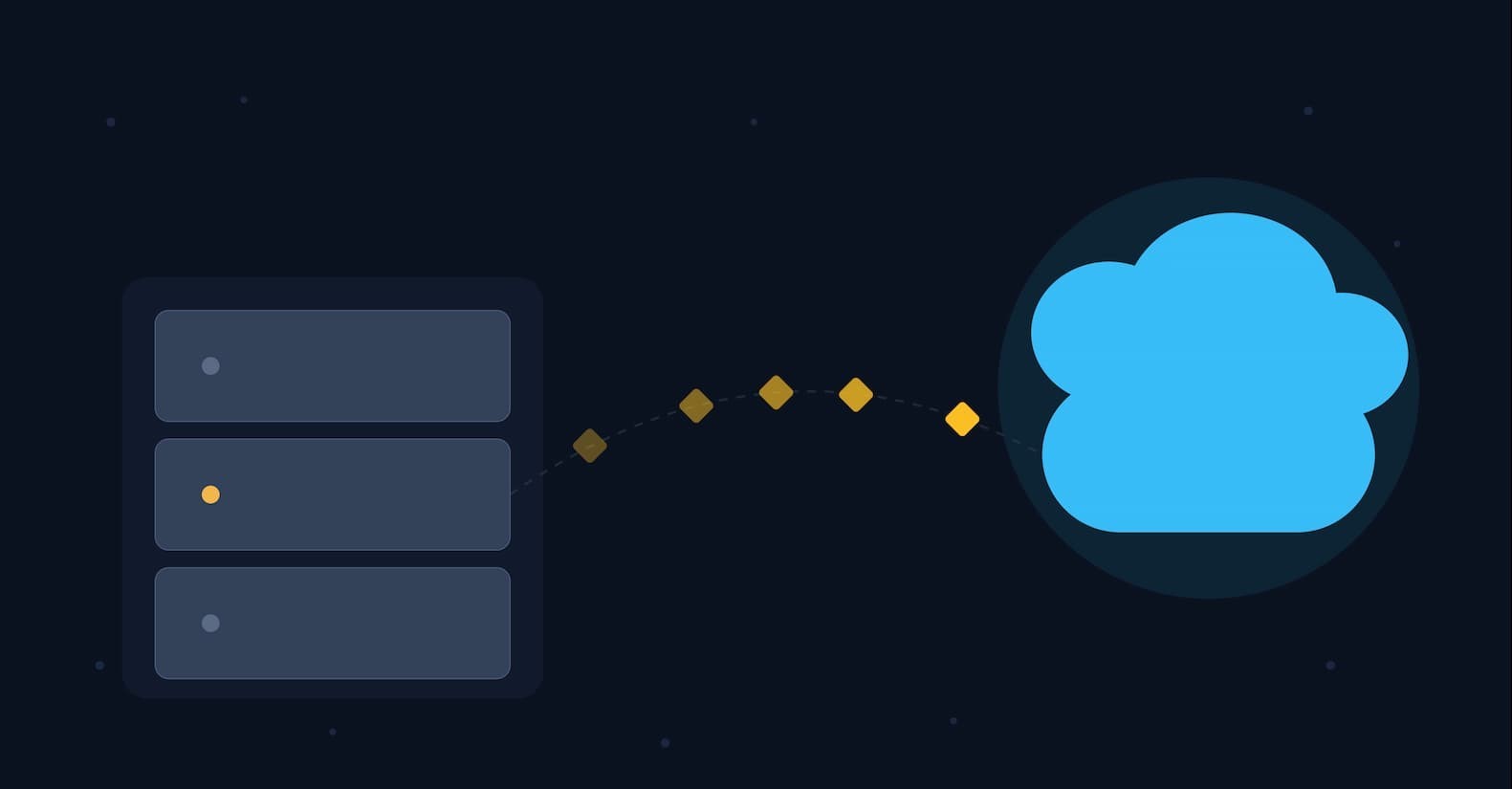
Software migration is the process of moving an application, its data, or the environment it runs in from one computing environment to another. That might mean moving to a different server, database, operating system, cloud platform, or software vendor. It happens when the current platform can no longer serve the business: the hardware is aging out, the vendor is ending support, the architecture cant scale, or a new regulation dictates where the data has to live.
Most people run into this without ever hearing the term. A company swapping its on-premises accounting software for a cloud version is migrating. A bank moving core transaction processing off a decades-old mainframe is migrating. A startup swapping MySQL for PostgreSQL as it scales is migrating too. The scope ranges from a weekend job to a multi-year program, but the goal is the same: keep the same functionality, ideally improved, running somewhere new, without losing data or breaking the business in the process.
This guide covers what actually moves in a migration, the seven strategies teams choose between, how the process runs end to end, and the risks that turn a “simple” migration into a multi-year headache.
What Actually Moves During a Software Migration
“Software migration” is an umbrella term, and it helps to separate out what’s being moved:
- Platform migration — moving a system from one operating system or platform to another, such as porting an application from Windows Server to Linux.
- Database migration — moving data from one database management system to another, like switching an on-premises Oracle database to a managed PostgreSQL service.
- Application migration — moving a software application, along with its data and configuration, from one computing environment to another. IBM defines this specifically as relocating an app between data centers, from on-premises to a cloud provider, or between cloud providers.
- Cloud migration — a common and specific type of application migration: shifting workloads from on-premises infrastructure to a public, private, or hybrid cloud.
- Version or framework migration — upgrading the underlying language runtim, framework, or dependencies a system runs on, without necessarily changing its physical location.
- Business process migration — moving the applications and data tied to an entire business function, often triggered by a merger, acquisition, or reorganization.
These categories overlap constantly in practice. Moving a legacy ERP system to the cloud is simultaneously an application migration, a database migration, and often a version migration too, since old software rarely runs unmodified on new infrastructure.
Migration vs. Modernization: What’s Actually Different
People use “migration,” “modernization,” and “digital transformation” as if they’re interchangeable. They’re not, and the difference matters when you’re scoping a project or a budget. If you want a deeper look at modernization itself, see our guide to IT modernization.
Migration moves a system. Modernization changes it. You can migrate an application to new infrastructure without altering a line of its code, that’s rehosting, and the software is exactly as old the day after as the day before, just living somewhere new. Modernization changes the application itself: rewriting it in a current language, breaking a monolith into services, replacing outdated logic — regardless of whether it also changes location.
In practice the two overlap constantly, which is exactly why they get conflated. A cloud migration that includes refactoring is both at once. But a lift-and-shift rehost is migration with zero modernization, and a framework upgrade that leaves an app on the same server is modernization with zero migration. Digital transformation is broader still, a business-level shift in process, customer experience, or revenue model that migration and modernization sometimes support but don’t define on their own.
Why it matters: vendors market “modernization” platforms because the word implies more value, and a bigger invoice, than “migration.” If a proposal to move your systems uses the two interchangeably, ask directly which one you’re actually paying for.
The Seven Migration Strategies (The “7 R’s”)
Once a team decides a workload needs to move, the next question is how much should change during the move. A common framework for cloud migrations is AWS’s “7 Rs”: Rehost, Relocate, Replatform, Repurchase, Refactor or re-architect, Retire, and Retain. The framework helps teams decide whether a workload should move as-is, receive limited changes, be substantially redesigned, be replaced, or remain where it is.
Table 1: The 7 R’s of Migration
| Strategy | What It Means | Typical Use Case |
|---|---|---|
| Rehost | Move the application as-is (“lift and shift”) with minimal changes | Time-pressured moves, e.g., an expiring data center lease |
| Relocate | Move a virtualized workload (e.g., VMware) to the cloud without changing the OS or app at all | Large virtualized estates that need off physical hardware fast, keeping existing tools and licenses |
| Replatform | Small optimizations during the move without changing core architecture (“lift, tinker, and shift”) | Swapping a self-managed database for a managed cloud database |
| Repurchase | Retire the existing product and buy a SaaS replacement (“drop and shop”) | Replacing an in-house CRM with a commercial SaaS platform |
| Refactor / Re-architect | Redesign the application for the new environment, e.g., splitting a monolith into microservices | Core platforms with a strong long-term business case |
| Retire | Decommission applications no longer in use | Cleaning up unused systems before a broader migration |
| Retain | Leave an application where it is, for now | Recently upgraded systems, or ones with unresolved dependencies |
Retire and Retain are decisions within the framework not to move a workload. That matters because migrating everything indiscriminately can waste budget on systems nobody actually needs to change.
How a Migration Actually Runs
Frameworks label the stages differently, Microsoft’s Cloud Adoption Framework for Azure uses Strategy, Plan, Ready, Adopt, Govern, Secure, and Manage, but the underlying work is fairly consistent across migration projects.
Discovery and assessment. Teams inventory what exists: applications, dependencies, data volumes, integration points, and who actually uses each system. Tools like Azure Migrate automate part of this, but dependency mapping for older systems is often slow and manual, since documentation is commonly outdated or missing.
Strategy selection and planning. Each application gets assigned one of the 7 R’s, a rough cost and timeline estimate, and a place in the migration sequence. Lower-priority or higher-risk systems typically move later, once the team has learned from earlier waves.
Design and mapping. For database and application migrations, this stage defines exactly how source data maps to the target system’s schema, what transformation logic is required, and how data-quality issues get caught before they cause downstream problems.
Cutover and rollback planning. Before execution, teams should define the cutover window, success criteria, rollback conditions, and the exact steps for returning to the source environment if validation fails. A migration plan that only explains how to move forward is incomplete.
Execution. This is the actual move, and it generally follows one of two cutover patterns.
Table 2: Big Bang vs. Phased Migration
| Big Bang | Phased (Trickle-Feed) | |
|---|---|---|
| How it works | Entire system moves in one event, usually during planned downtime | Modules or data move incrementally over time |
| Speed | Faster to complete | Slower, spread across weeks or months |
| Risk profile | Higher — a failure affects the whole system at once | Lower — issues stay contained to the current phase |
| Best for | Smaller systems, or when downtime is tolerable | Business-critical systems that can’t absorb extended outages |
Testing and validation. Data completeness checks, functional testing, and performance testing happen before — and often during — cutover. Checksum and row-count comparisons between source and target are common validation techniques for detecting missing or inconsistent data.
Post-migration monitoring. The work doesn’t stop at cutover. Teams track performance, cost, and user-reported issues for weeks afterward, and frequently keep the old system available in read-only mode as a safety net before fully decommissioning it.
Why Organizations Migrate
Most software migrations happen because the existing environment creates a business or technical problem.
Common triggers include:
- Mergers and acquisitions: Combined organizations may need to consolidate overlapping applications, databases, or infrastructure.
- End of support: Hardware, operating systems, databases, or applications are reaching the end of their supported life.
- Technical debt: Aging architecture makes changes slower, riskier, or more expensive.
- Compliance requirements: Regulations or data-residency requirements may require systems or data to move.
- Performance or cost pressures: New infrastructure may provide better performance, scalability, or operating economics.
How Much Does Software Migration Cost?
There is no standard price for software migration. A small database or application move may require relatively little engineering work, while migrating a heavily integrated enterprise platform can involve months or years of discovery, development, testing, and operational change.
The biggest cost drivers are:
- System complexity: tightly coupled or poorly documented applications require more discovery and testing.
- Data volume and quality: large or inconsistent datasets increase migration and validation work.
- Integration dependencies: applications connected to many other systems require more interface testing and coordination.
- Migration strategy: rehosting usually requires less application change than replatforming or refactoring.
- Downtime requirements: systems that cannot tolerate disruption need additional testing, redundancy, and rollback planning.
- People and skills: specialized database, legacy-platform, security, or cloud expertise can increase project costs.
A useful business case should compare the cost of migrating with the ongoing cost and risk of keeping the current system. The cheapest migration is not necessarily the best one if it creates operational problems afterward.
The Risks Marketing Decks Tend to Skip
Migration projects have a well-documented tendency to run long and cost more than planned. In a 2021 survey of about 450 CIOs and IT decision-makers, McKinsey found that 75% of organizations exceeded their planned public-cloud migration budgets, while 38% reported delays. The finding applies specifically to cloud migration, not software migration projects as a whole.
The specific failure points recur across most projects:
- Data loss or corruption, usually from incompatible formats, missing field mappings, or skipped validation steps.
- Unplanned downtime, particularly damaging for systems that run continuously, like retail or banking platforms.
- Underestimated complexity, especially in legacy systems with thin documentation and years of undocumented workarounds.
- Security and compliance gaps that open up during the transition, when data may briefly exist in two places under different controls.
- Change resistance, since staff comfortable with an old system’s quirks usually need real retraining, not just a new login screen.
One detail a lot of migration guides skip: even a technically clean migration can stall on the human side if end users are trained and bought in after cutover instead of before it.
Flexera’s 2026 State of the Cloud Report found that understanding application dependencies was the top cloud migration challenge, cited by 54% of respondents. That reinforces one of the most practical lessons in this guide: discovery matters because the hardest problems are often the connections around an application, not the application itself.
When Not to Migrate
Migration isn’t automatically the right move. A system that’s stable, inexpensive to run, recently updated, and not blocking anything strategic is often better left alone — that’s the “Retain” outcome in the 7 R’s framework, and it’s a legitimate result of a proper assessment, not a failure to act. Migrating without a clear business driver is one of the more common ways projects burn budget without delivering value.
Common Misconceptions
A few assumptions cause real trouble. Migration is not simply copying files from one place to another — data formats, business logic, and integrations almost always need some translation. Moving to the cloud does not automatically cut costs; without rightsizing and ongoing management, cloud bills frequently end up higher than the old infrastructure. And teams often assume one strategy should apply company-wide, in practice, most portfolios mix several of the 7 R’s application by application: a legacy CRM might get repurchased for SaaS while the database next to it just gets rehosted.
Where AI Is Changing Migration
AI-assisted migration tools are beginning to reduce some of the manual work involved in analyzing and transforming legacy applications.
GitHub made Copilot app modernization generally available for Java and .NET projects in September 2025, with capabilities for application assessment, code transformation, dependency updates, build patching, and containerization. AWS has also introduced AWS Transform for mainframe, which uses agentic AI to analyze and modernize IBM z/OS applications. AWS says the service is designed to accelerate modernization projects that traditionally take years.
These tools can reduce repetitive work such as code analysis, dependency mapping, documentation, and transformation. AWS says repeatable transformation work can consume 20–30% of enterprise software-development resources.
But AI does not remove the need for engineering judgment. Teams still need to validate generated code, dependencies, security controls, data behavior, performance, and business logic before putting a migrated system into production. A migration decision made faster is not necessarily a better migration decision.
A Simple Decision Framework
Table 3: Choosing a Migration Approach
| If the system is… | Consider… |
|---|---|
| Rarely used, low business value | Retire |
| Stable, recently updated, low risk | Retain |
| Needs to move quickly, architecture is fine as-is | Rehost |
| Wants some cloud-native benefit, moderate effort budget | Replatform |
| A commodity function available as SaaS | Repurchase |
| Business-critical, needs long-term scalability | Refactor / Re-architect |
| Running on a virtualized platform (e.g. VMware) and you need off physical hardware fast | Relocate |
Final Thoughts
Software migration is less a single technical task than an ongoing discipline: assess honestly, pick the right strategy for each system rather than one strategy for everything, test relentlessly, and expect the unglamorous post-migration cleanup to take real time. The projects that go well tend to share one habit — they treat the plan as something to revise as they learn, not a document to defend.
FAQs
What is the difference between data migration and application migration?
Data migration moves the information itself. Application migration moves the whole app — code, data, and configuration — to a new environment. Most application migrations include a data migration; the reverse isn’t true.
How long does a software migration take?
Anywhere from a few weeks for a single database swap to multiple years for a full mainframe modernization. Complexity and documentation quality matter more than the target platform.
What is a lift-and-shift migration?
Another name for rehosting — moving an app to a new environment with minimal changes to its code. It’s the fastest option, usually chosen under time pressure.
Is cloud migration the same as software migration?
No. Cloud migration is one type of software migration. The broader category also covers moves between databases, platforms, or vendors with no cloud involved.
What causes software migration projects to fail or run over budget?
Underestimated complexity, poor documentation, data-quality surprises, insufficient testing, and weak change management for end users.
Do I need to migrate legacy software if it still works?
Not necessarily — if it’s stable, cheap to run, and not blocking anything, “Retain” is a legitimate outcome. Migrate when a specific pressure forces it: end-of-support, compliance, cost, or scale.
What’s the safest way to migrate a database without losing data?
Start with a tested backup and a migration rehearsal, then validate the target with appropriate checks such as row counts or checksums. Define rollback criteria before cutover and test the process before moving production data.
How much does a software migration cost?
There is no standard price. Cost depends on system complexity, data volume, integrations, downtime requirements, migration strategy, testing, and specialist skills. A small database move can be relatively straightforward, while a highly integrated enterprise or mainframe migration can require a much larger, multi-stage program.
References
- IBM — “What is application migration?”
- AWS Prescriptive Guidance — “About the migration strategies”
- Microsoft Learn — “Cloud Adoption Framework for Azure”
- McKinsey & Company — “Cloud-migration opportunity: Business value grows, but missteps abound”
- Flexera — “2026 State of the Cloud Report”
- GitHub — “GitHub Copilot app modernization is now generally available for Java and .NET”
- AWS — “AWS Transform for mainframe is now generally available”
- Microsoft Learn — Database migration and data validation guidance